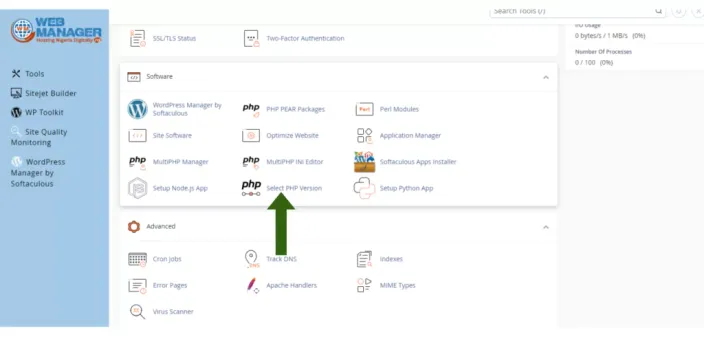
There are two ways to check the PHP version for your account - First, through the Select PHP Version menu.
To check what PHP version is selected for your hosting account, go to cPanel > Software > Select PHP Version menu:
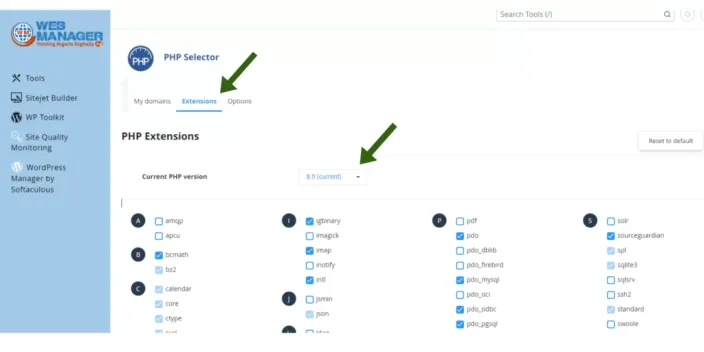
You will see the current PHP version above by switching to extensions
Second, the PHPinfo() function.
The PHPinfo() function is commonly used to check the current state of PHP configuration. It can also be used for debugging purposes as it contains all EGPCS (Environment, GET, POST, Cookie, Server) data.
Follow the steps below to run the function:
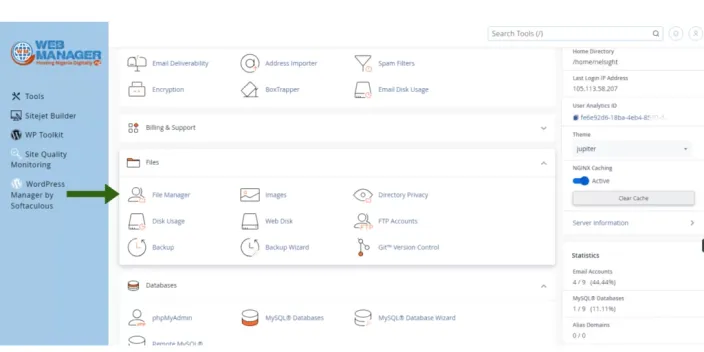
1. Log into your cPanel account, go to the Files section > File Manager
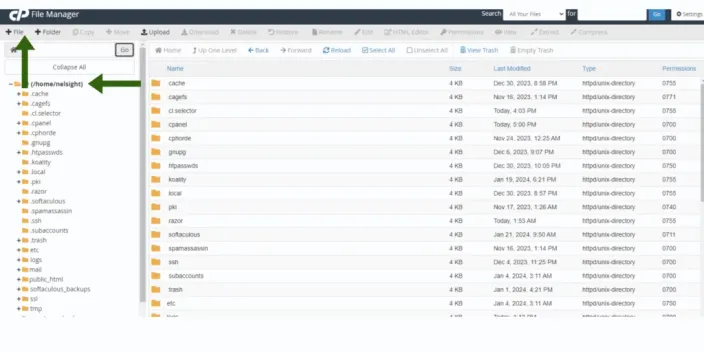
2. Navigate to the public_html directory, click on +File and create a phpinfo.php file
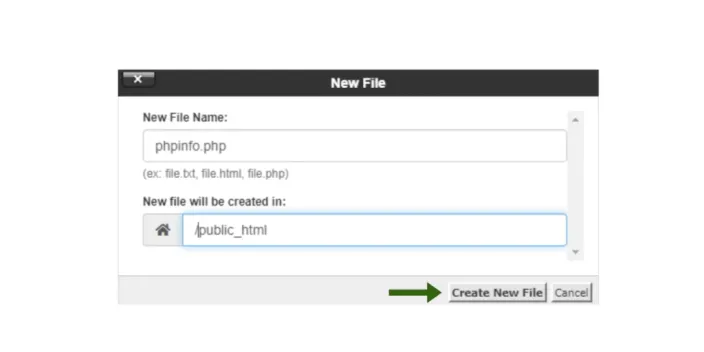
3. Find the newly created file in the list and click on Edit in the upper corner menu or right-click on the file > Edit
4. Add the lines of the code provided below to the file and click on Save Changes:
<?php
phpinfo();
?>
5. To see detailed information about the PHP configuration of your account, open the http://yourdomain.tld/phpinfo.php link in your browser, replacing your domain.tld with your main domain name.
For security reasons, delete the file once you check all the necessary information.
There you have it! Need further assistance, Contact us.