Domain name is an important part of a website. It is a unique address for a website. It usually consists of a website name and a Top Level Domain (TLD) name extension. In order to strengthen your branding and help your audience find your website, there is need for a memorable domain. The following are steps to follow to buy a domain name on the HostAfrica website:
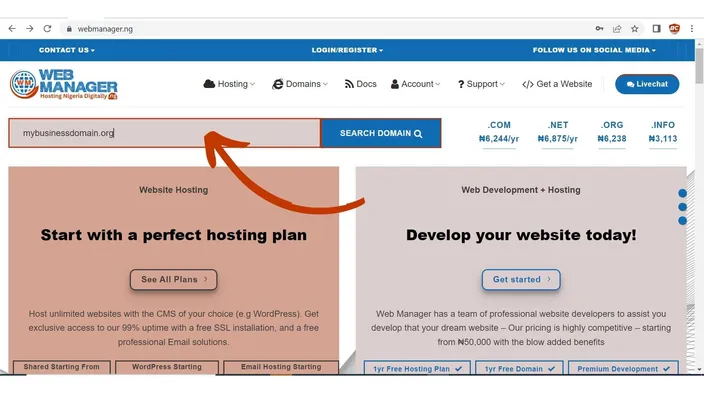
STEP 1: Search for your Favorite Name
On the Homepage, use the "Search Domain" bar to enter your favorite domain name and search. In this case, we used "mybusinessdomain.org" as an example.
STEP 2: Confirm the Domain Name's Availability
Here, you can see that the Domian Name is available and then I proceeded to "Add to Cart" followed by "Checkout".
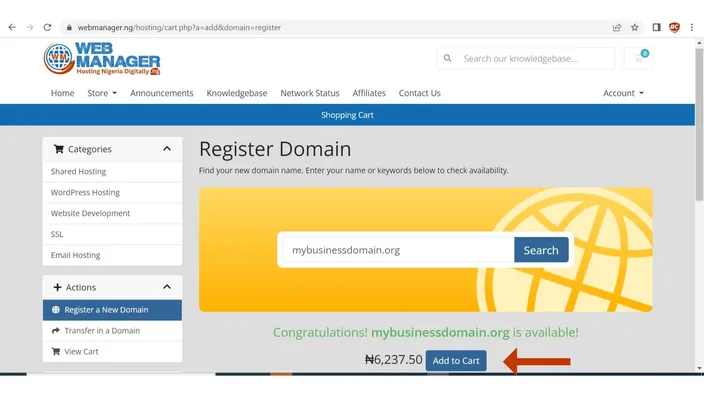
Note: In any case your search says "...is unavailable" simply know that the name you want to buy has been taken by someone else. It is either you choose from other available extentions like .org, .com .net etc, or search for another suitable Name to use.
When you have finally gotten an available Domain Name, you can proceed to "Add to Cart - Checkout"
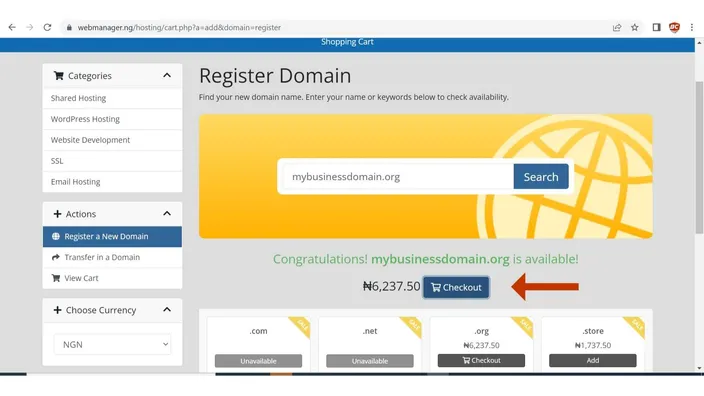
STEP 3: Add to Cart & Proceed to Checkout
On this stage, you will need to take a look at the arrows and ensure you select the ones you need. Most often, you will need these addons (DNS Management, ID Protection, & Email Forwarding) for your new Domian Name. Luckily, we offer these addons for free.
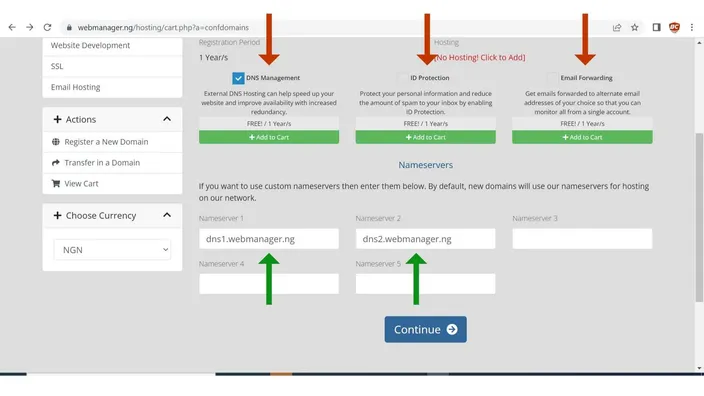
Hey! take a look at the green arrows on the image above, you will notice that your domain is already linked to our Nameservers (ns1.host-ww.net & ns2.host-ww.net). You are expected to change them to your origin hosting server if only the domain is not hosted with us. Then, click on the continue to make your "Payment". If your hosting is with us, you do not need to change it, just leave it the way it is and "Continue".
On the Next Page "Review & Checkout", click on "Checkout"
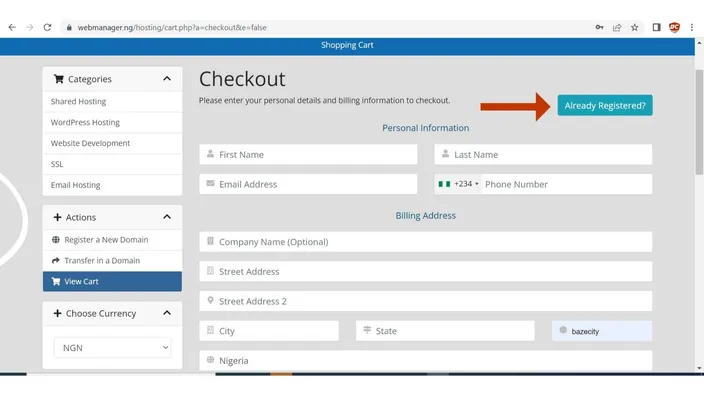
Note: You are seeing the below page because you are not logged in or you are not registered with HostAfrica. You will need to complete your registeration for the first time to continue to have access to your new Domain Name. Fill in the required details below and proceed.
If you already have an account click on "Already Registered?" to login and continue with your order as seen below.
STEP 4: Make Payment
On this stage, you will need to selet your payment gateway from one of the options as seen on the image below. Then, proceed to make your payment.
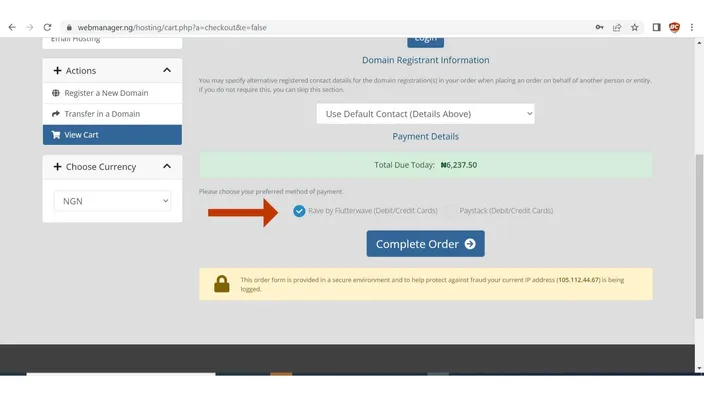
On the Next page as seen below, you will have to choose from the available options on how best to make your payment. Once your payment is recieved and processed, your new Domain Name would automatically be activated and assigned to you accordingly.
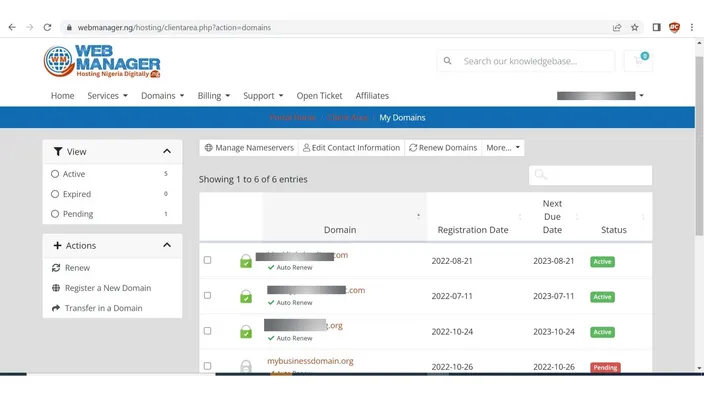
STEP 5: Visit your new Domain Name in your Client Area dashboard
Now, you are good to go as your newly purchased Domain is now active on your account domain dashboard.
In case you have any challange getting this done on your own, we can always assist you. Just contact our support or leave a comment on the comment section.